Search This Blog

Sunday, September 15, 2013

dArk cLear 1.0


dArk cLear for win8/8.1 x64 & x86


* first u will need to install ultra ux theme patcher as per x64 or x86 your requirment.

* i use aero glass all in one installer = http://www.mediafire.com/download/r652m5ktwm7u5wd/Aero_Glass_RC3_v0.94.exe

* for 8.1 users uxtheme patcher is coming soon , but beta version is available.

* and also it is most imp to install aero glass for 8.1 users to remove title bar text background.

* use ribbon disabler http://winaero.com/comment.php?comment.news.20

* copy & past all fonts from fonts folder to c:\\ windows\fonts\

* copy & past both thm file  from theme folder to c:\windows\resourses\themes

* use start is back for startmenue

* use start orb from start orb folder

* enjoy..........


Monday, September 9, 2013

Clear 3.0


* clear 3.0 visual styless for windows 8/8.1

* Compatible for both x86 & x64 system (aero mode)

* Package included  visual styles , readme file.

* first you need to install ultra ux theme patcher as per x64 or x86 your requirement.    :-   http://www.syssel.net/hoefs/software_uxtheme.php?lang=en

OR

* you can also use uxstyle for to use custome theme http://uxstyle.com/

* copy & past both them file  from theme folder to c:\windows\resourses\themes

* u need to use ribbon disabler app to disable  ribbon :- http://winaero.com/comment.php?comment.news.20

* install old new explorer included in the package while installing old new explorer don't tic on
use status bar

* I use aero glass to get aero back in win 8 install proper version of aero glass as per your system requirement  http://glass8.berlios.de/features.html

* I use startIsback + for startmenue  http://www.startisback.com/

* go to personalization set a  theme

* use start orb from start orb folder

* enjoy..........

* Paid version :- Included 4 aero & dark aero themes

you can buy paid version by clicking on below button  u can make payment from any card   , Download starts quickly when u make payment, . buy clear 3.0  at 1.40 $ ,respect developers by buying this theme.


Buy at 1.40$


Sunday, August 18, 2013

Wood texture v2 for 8


Wood texture v2 themes for windows 8 by swapnil36fg

Plese DON't Use stardock start8 for start menue because it does not allow to fully coustomize start menu .
use START IS BACK or ex7 for 8  (link)  ,,,, if u use start 8 than start menu is not appear properly as shown in preview..

                                        * INSTRUCTION *

* install ux theme patcher as per x64 or x86 your requirment. link

* copy & past all fonts from fonts folder to c:\\ windows\fonts\

* copy & past both theme file  from theme folder to c:\windows\resourses\themes

* use start orb from start orb folder .. (go to startisback setting & change start orb)

* theme include cursors which is also created by me..........


OR


Thursday, July 18, 2013

WP 8 vs


my first Windows 8 them .....


windows phone 8 visual style for windows 8

* first you need to install ux core style or uxthemepatcher as per x86 or x64 requirement , package including only 64 bit version ux theme patcher
   for 32bit user download and install 32bit version ,  http://uxstyle.com/

* after that copy & past both theme file wp8 & wp8(white) from theme folder to C:\Windows\Resources\Themes

* use start8 OR 7start is back .. for start menue & use 8 flag orb including in package. link

* apply theme from personalisation themes .

* share this theme on Facebook..


Saturday, April 27, 2013

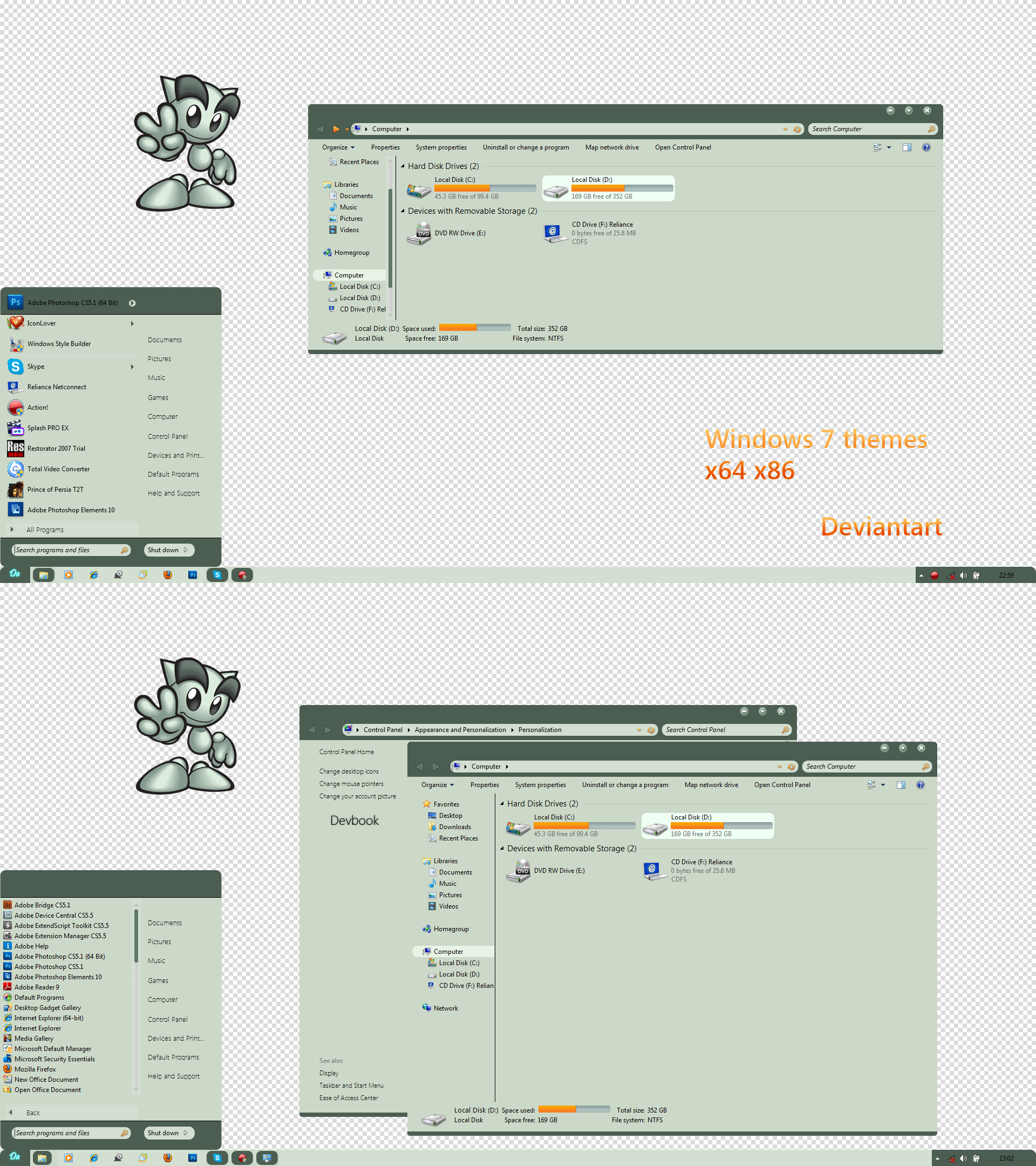
deviantart windows 7 theme


deviantart windows 7 theme created by charush

* first install ux theme patcher x64 x86.

* after install theme resource changer.

* copy & past theme from theme folder to C:\Windows\Resources\Themes


enjoy.....


Saturday, January 26, 2013

WP8


*wp8 theme for windows 7


*install theme resource changer x64 or x86 included in package

*install ux theme patcher as per x64 or x86 your requirment.

*copy & past all fonts from fonts folder to c:\\ windows\fonts\

*copy & past both thm file  from theme
  to c:\windows\resourses\themes

Enjoy......... share this theme On facebook........


Saturday, January 19, 2013

Pixal vs


Pixal vs for windows 7

..............also coming soon for Windows 8..............

* First you need to instal ux theme patcher included in download.

* install theme resource changer x86 or x64 as per requirement .

* copy & past all fonts from fonts folder to c:\\ windows\fonts\

* copy & past both theme file  from theme
    to c:\windows\resources\themes

.....& run the theme enjoy .....